Getting started
Mrglglgl has two parts. The addon records your character’s day in game. The app, for Windows and macOS, reads what the addon recorded and writes it up as a journal.
1. Install the app
Section titled “1. Install the app”Download the installer for your system from the
releases page: the .dmg for macOS, the
.exe for Windows.
The builds are not signed yet, so your system asks once whether to trust them:
- macOS: open the app once. When macOS says it cannot verify the developer, open System Settings, Privacy & Security, and choose Open Anyway.
- Windows: in the SmartScreen prompt, choose More info, then Run anyway.
2. Install the addon
Section titled “2. Install the addon”The easiest way is from the app: open Settings, then the Addon tab, and press
Install. The app downloads the newest release, checks it, and puts it in
_forever_/Interface/AddOns/Mrglglgl. It never does this while the game is running.
To install it by hand instead, download Mrglglgl-addon-…-forever.zip from the
releases page and extract it into
World of Warcraft/_forever_/Interface/AddOns/, so that Interface/AddOns/Mrglglgl/ contains
Mrglglgl.toc.
3. Play
Section titled “3. Play”Log in and play as usual. The addon needs no setup. The game saves what it recorded when you log
out or type /reload, and only then can the app see it.
4. Choose who writes
Section titled “4. Choose who writes”Open the app. It finds World of Warcraft in the usual places; if it does not, choose the game folder under Settings, General. Your characters appear in the sidebar, grouped by account and realm.
To have entries written, open Settings, Writing, and choose who writes:
- This computer: the app downloads a writing model once (a few gigabytes; the size is shown before anything downloads). Nothing you write leaves your computer. This needs at least 8 GB of memory; the app tells you if your computer has less and suggests a model that fits.
- An endpoint you run or pay for: any OpenAI-compatible address, such as Ollama or LM Studio on your own machine, or a cloud provider. See Your data and privacy.
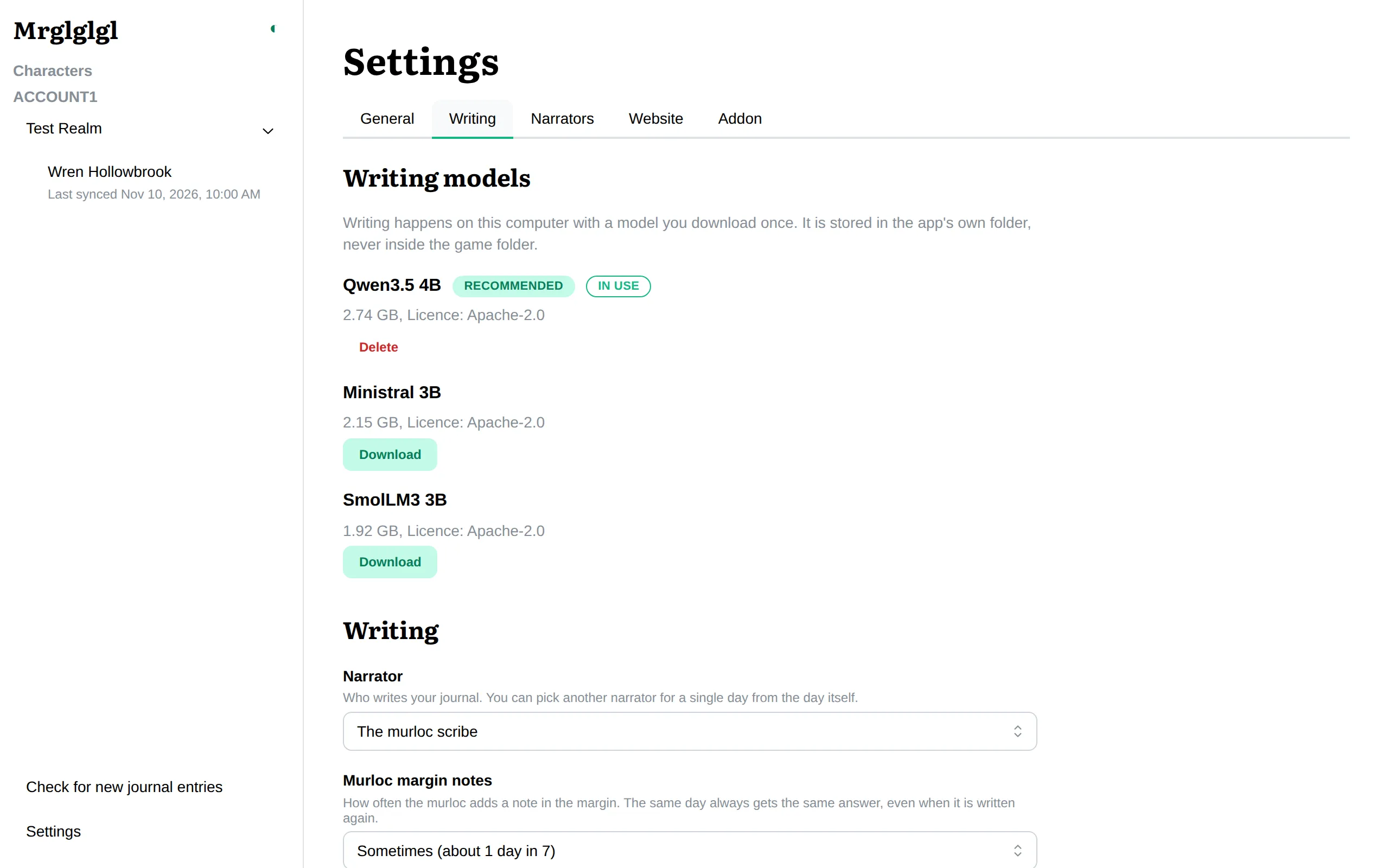
Finished days are then written in the background, oldest first. Open a character to read them: see Reading your journal.